
官方介绍如下,为什么火,懂得都懂。
Clears your inbox, sends emails, manages your calendar, checks you in for flights.All from WhatsApp, Telegram, or any chat app you already use.使用官方脚本进行Windows一键安装,具体教程可以查看快速开始。
修改策略
使用管理员权限,打开Windows PowerShell。先查看PowerShell执行策略,只要不是AllSigned(所有脚本必须有签名) 就行,RemoteSigned(本地脚本不受签名限制,远程脚本必须有签名) 与Restricted(受限)。
Get-ExecutionPolicy若需要修改策略,可以执行Set-ExecutionPolicy。
Set-ExecutionPolicy Restricted输出如下:
执行策略更改
执行策略可帮助你防止执行不信任的脚本。更改执行策略可能会产生安全风险,如 https:/go.microsoft.com/fwlink/?LinkID=135170
中的 about_Execution_Policies 帮助主题所述。是否要更改执行策略?
[Y] 是(Y)  [A] 全是(A)  [N] 否(N)  [L] 全否(L)  [S] 暂停(S)  [?] 帮助 (默认值为“N”): Y
环境依赖
准备环境。Node.js建议使用v22+。
node --version当前版本号输出如下:
v22.22.0Git也需要安装。
git --version当前版本号输出如下:
git version 2.23.0.windows.1脚本安装
执行脚本。
iwr -useb https://openclaw.ai/install.ps1 | iex输出结果如下:
OpenClaw Installer
[OK] Windows detected
[*] Existing OpenClaw installation detected
[OK] Node.js v22.22.0 found
[*] Installing OpenClaw (openclaw@latest)...
[OK] OpenClaw installed
[*] Running doctor to migrate settings...
🦞 OpenClaw 2026.3.8 (3caab92) — I've seen your commit messages. We'll work on that together.
▄▄▄▄▄▄▄▄▄▄▄▄▄▄▄▄▄▄▄▄▄▄▄▄▄▄▄▄▄▄▄▄▄▄▄▄▄▄▄▄▄▄▄▄▄▄▄▄▄▄▄▄
██░▄▄▄░██░▄▄░██░▄▄▄██░▀██░██░▄▄▀██░████░▄▄▀██░███░██
██░███░██░▀▀░██░▄▄▄██░█░█░██░█████░████░▀▀░██░█░█░██
██░▀▀▀░██░█████░▀▀▀██░██▄░██░▀▀▄██░▀▀░█░██░██▄▀▄▀▄██
▀▀▀▀▀▀▀▀▀▀▀▀▀▀▀▀▀▀▀▀▀▀▀▀▀▀▀▀▀▀▀▀▀▀▀▀▀▀▀▀▀▀▀▀▀▀▀▀▀▀▀▀
                  🦞 OPENCLAW 🦞
T  OpenClaw doctor
|
o  Gateway ----------------------------------------------------------+
+--------------------------------------------------------------------+
|
o  Gateway auth -----------------------------------------------------+
+--------------------------------------------------------------------+
|
o  State integrity --------------------------------------------------+
+--------------------------------------------------------------------+
|
o  Security ---------------------------------+
+--------------------------------------------+
|
o  Skills status ------------+
+----------------------------+
|
o  Plugins ------+
+----------------+
|
o  Shell completion -------------------------------------------------+
+--------------------------------------------------------------------+
|
o  Shell completion -------------------------------------------------+
+--------------------------------------------------------------------+
o  Gateway --------------+
+------------------------+
|
o  Gateway connection ---------------------------+
|                                                |
|  Gateway target: ws://127.0.0.1:18789          |
|  Source: local loopback                        |
|  Config: C:\Users\xxx\.openclaw\openclaw.json  |
|  Bind: loopback                                |
|                                                |
+------------------------------------------------+
|
o  Gateway ------------------------+
|                                  |
|  Gateway service not installed.  |
|                                  |
+----------------------------------+
Run "openclaw doctor --fix" to apply changes.
—  Doctor complete.
[OK] Migration complete
OpenClaw installed successfully (OpenClaw 2026.3.8 (3caab92))!
验证命令
查看命令openclaw是否存在。
whereis openclaw输出类似如下则表明,基础环境已经安装。
openclaw: /xxx/v22.22.0/openclaw /xxx/v22.22.0/openclaw.cmd /xxx/v22.22.0/openclaw.ps1验证安装
管理员权限单开cmd命令控制行窗口,使用doctor再次验证是否安装成功。
openclaw doctor生成网关gateway对应的token。
o  Generate and configure a gateway token now?
|  Yes
启用zsh脚本命令。
*  Enable zsh shell completion for openclaw?
|  Yes
服务自启
安装gateway服务。
o  Install gateway service now?
|  Yes
配置服务运行时。
o  Gateway service runtime
|  Node (recommended)
Installed Scheduled Task: OpenClaw Gateway
Task script: C:\Users\llr\.openclaw\gateway.cmd
Updated ~\.openclaw\openclaw.json
|
—  Doctor complete.
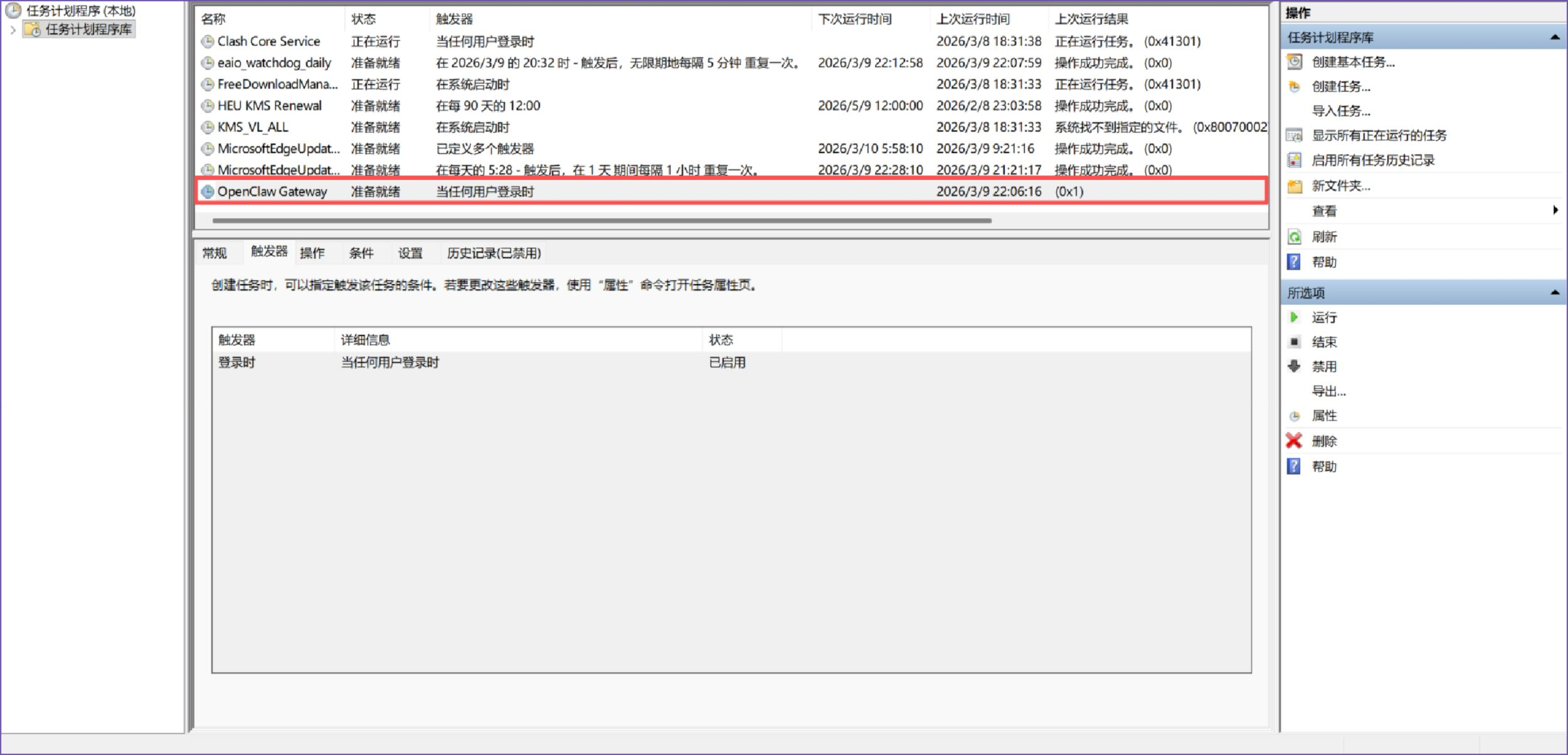
实际安装服务就是创建计划任务,用户登录时就可以启动,可以注销账户,再次登录系统即可运行,当前可以继续执行后续命令。
新手引导
执行控制面板配置引导。
openclaw onboard --install-daemon为当前用户添加配置。
I understand this is personal-by-default and shared/multi-user use requires lock-down. Continue?
|   Yes
引导面板模式快速开始。
o  Onboarding mode
|  QuickStart
|
o  Existing config detected ---------+
+------------------------------------+
配置处理,使用已经存在的值。
o  Config handling
|  Use existing values
|
o  QuickStart -----------------------------+
+------------------------------------------+
模型和验证模型供应商,选择跳过。
o  Model/auth provider
|  Skip for now
过滤模型提供商模型,选择所有模型。
o  Filter models by provider
|  All providers
默认模型,可以先展示使用手动输入,这个时候模型还无法正常使用,只是先用于在配置文件中占位,可以先配置默认。
o  Default model
|  Enter model manually
|
o  Default model
|  anthropic/claude-opus-4-6
|
o  Model check -----------------------------------+
|  No auth configured for provider "anthropic". The agent may fail until credentials are  |
|  added.
+---------------------------------------------+
配置频道,现在如果不确认,可以跳过,后续再替换。
o  Channel status ----------------------------+
+---------------------------------------------+
|
o  Select channel (QuickStart)
|  Skip for now
o  Web search ----------------------------------------+
+-----------------------------------------------------+
搜索提供器,可以考虑先跳过。
o  Search provider
|  Skip for now
o  Skills status -------------+
+-----------------------------+
配置skills。
o  Configure skills now? (recommended)
|  Yes
|
o  Install missing skill dependencies
|  Skip for now
|
o  Set GOOGLE_PLACES_API_KEY for goplaces?
|  No
|
o  Set GEMINI_API_KEY for nano-banana-pro?
|  No
|
o  Set NOTION_API_KEY for notion?
|  No
|
o  Set ELEVENLABS_API_KEY for sag?
|  No
配置Hook配置,空格键表示选中和取消,[+] 表示选中,可以都添加并回车提交。
o  Hooks ------------------------------------------------------------------+
+--------------------------------------------------------------------------+
|
o  Enable hooks?
|  🚀 boot-md, 📎 bootstrap-extra-files, 📝 command-logger, 💾 session-memory
|
o  Hooks Configured ------------------------------------------------------+
+-------------------------------------------------------------------------+
可以选择重新启动gateway服务,会弹出新的服务启动框。
o  Gateway service already installed
|  Restart
服务启动后,会有一个命令行窗口,此时为前台运行,这个窗口不能关闭,关闭后服务就退出了。

服务访问
选择打开Web UI,会自动打开本地默认浏览器。
o  Optional apps ------------------------+
+----------------------------------------+
o  How do you want to hatch your bot?
|  Open the Web UI
|
+----------------------------------------------------------------------+
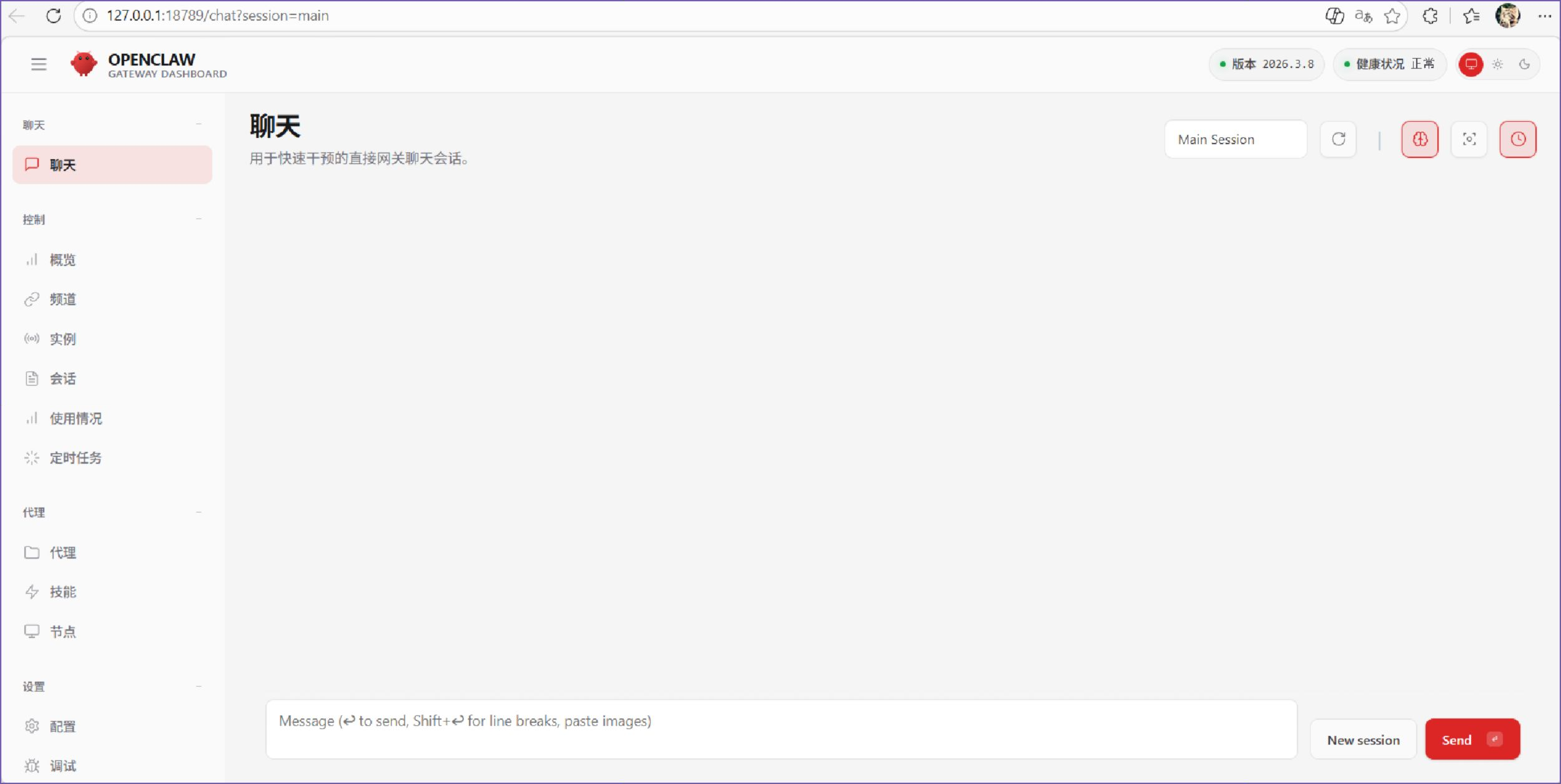
—  Onboarding complete. Dashboard opened; keep that tab to control OpenClaw.
页面展示如下:
环境变量
如果手抖关闭掉了,又不想注销账户,可以直接执行命令行。
openclaw gateway --port 18789直接修改配置文件C:\Users\\.openclaw\openclaw.json,修改自己的提供商和模型,详细可以参考链接。以deepseek为例,DEEPSEEK_API_KEY为环境变量。

配置模型
配置自定义的模型服务提供商models与agents平级。
{
 "models": {
   "mode":"merge",
   "providers": {
	  "deepseek": {
	    "baseUrl": "https://api.deepseek.com/v1",
	    "apiKey": "${DEEPSEEK_API_KEY}",
	    "api": "openai-completions",
	    "models": [
	    {
		  "id": "deepseek-chat",
		  "name": "Deepseek-Chat"
	    }]
	 },
    }
  },
  "agents": {
    "defaults": {
      "model": {
        "primary": "deepseek/deepseek-chat"
      },
      "workspace": "C:\\Users\\\\.openclaw\\workspace",
      "compaction": {
        "mode": "safeguard"
      },
      "maxConcurrent": 4,
      "subagents": {
        "maxConcurrent": 8
      }
    }
  },
  "tools": {
    "profile": "coding"
  },
  "messages": {
    "ackReactionScope": "group-mentions"
  },
  "commands": {},
  "session": {},
  "hooks": {},
  "gateway": {}
}
退出当前服务窗口,单开一个cmd命令行窗口,执行命令重新启动服务。
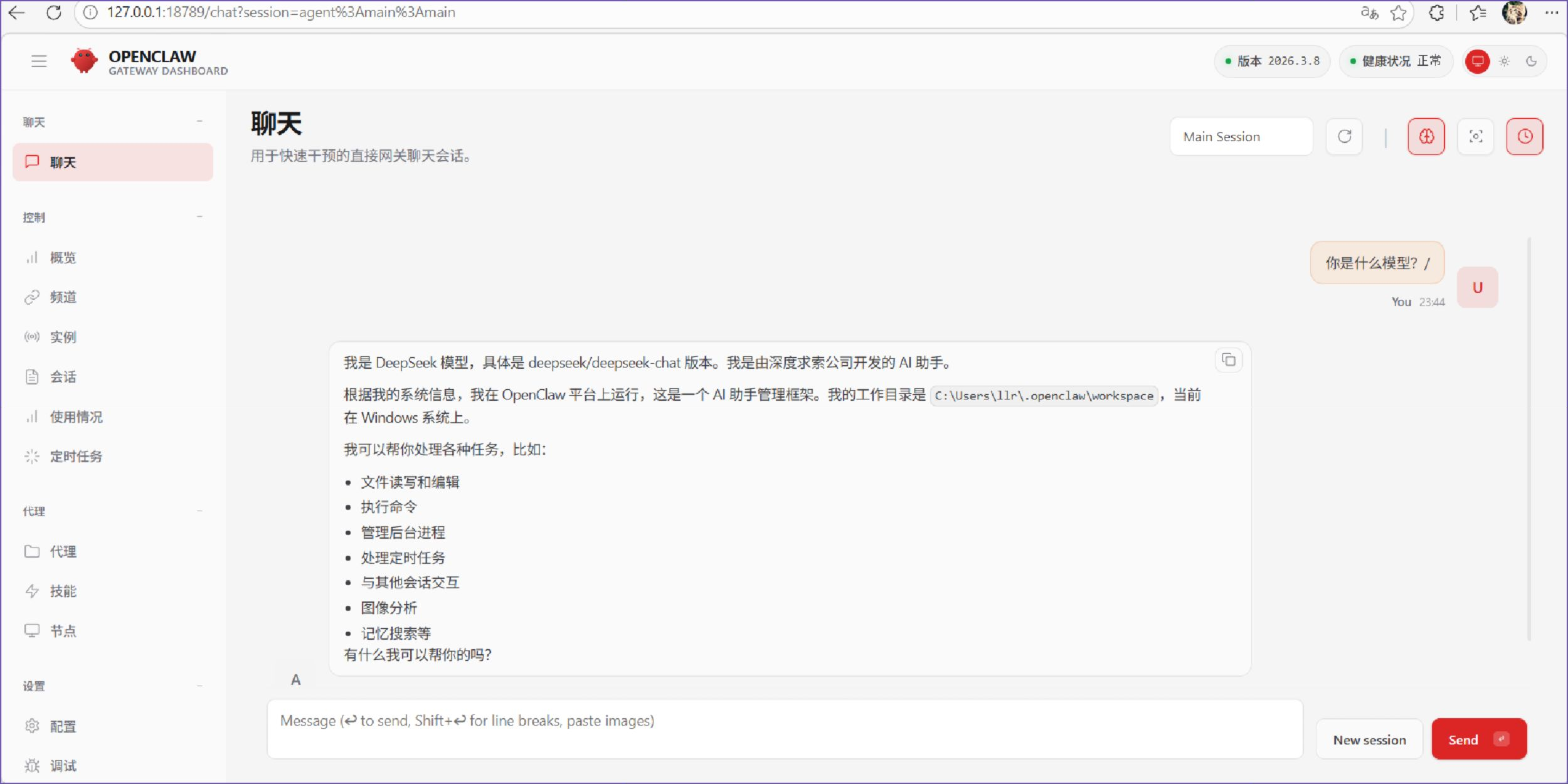
openclaw gateway --port 18789访问浏览器,http://127.0.0.1:18789/,尝试进行问答测试,本地环境则搭建成功。
如果要进行卸载,可以使用uninstall。
openclaw uninstall
开源个人助理这个方向很火,30分钟能跑起来确实对新手上手太友好了。
Windows下能一键装好真省心,之前折腾环境最头大。
把收件箱和日程这些琐事交给工具,确实能省不少心,配置也不复杂,适合试试。